What It Does
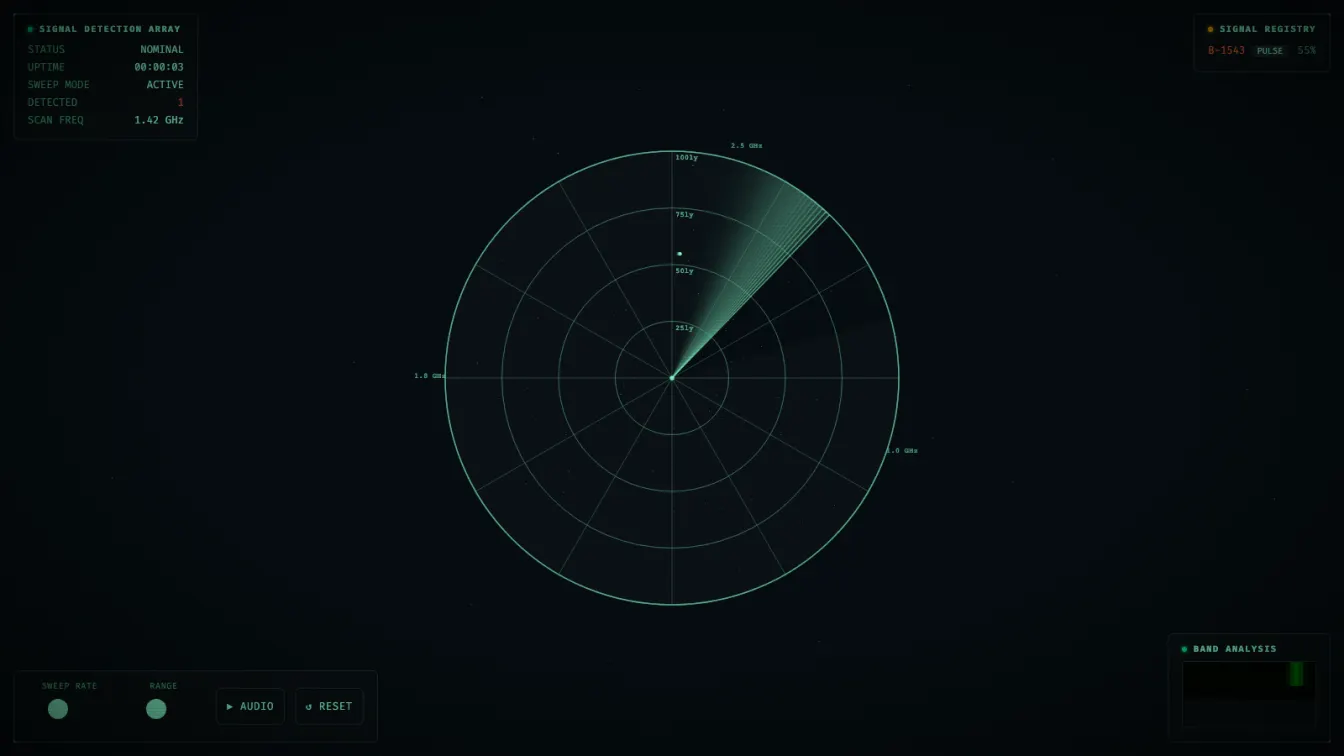
A large radar sweep rotates across the screen, continuously scanning for signals. When a signal is “detected,” it appears as a blip on the display with its designation (PSR, FRB, GRB), classification (NARROW, PULSE, DRIFT, HARM), and signal-to-noise ratio. The signals slowly drift over time, and the sweep passing over them makes them glow brighter briefly before fading.
Three things happen simultaneously:
- The main radar — sweep line and gradient cone trail, range rings with distance labels, signal blips with glow effects, background noise dots, and twinkling stars
- A waterfall display — a small spectrum analyzer in the bottom-right showing signal density across frequency bands, rendered with
createImageDatapixel manipulation - An ambient audio drone — sub-bass oscillators (32 Hz, 55 Hz) and a high triangle wave (220 Hz) with soft fade-in/fade-out, plus short sine beeps when new signals are detected
Technical Decisions
Canvas 2D Over WebGL
The first instinct for anything “space-y” is WebGL with custom shaders. But for a radar display, there is really nothing to model — just arcs, lines, circles, and small dots. Canvas 2D is actually the better choice here:
createConicGradientfor the sweep trail is a single native call- Signal blips are
arc()calls withshadowBlurfor glow - The waterfall uses
createImageDatawith direct pixel manipulation — filling 12,800 pixels per frame trivially in 2D
The whole thing runs with zero WebGL context and hits 60 fps on a 1440p display.
CRT Effects via CSS, Not Canvas
The scanlines are a repeating-linear-gradient on a body::after pseudo-element. The vignette is radial-gradient on body::before. Neither touches the canvas or the render loop. This matters for mobile performance — the canvas only renders the radar, not the atmosphere.
Pre-generated Noise Positions
Instead of calling Math.random() for every noise dot position every frame (200 dots × 60fps = 12,000 random calls per second), I pre-generate 200 dot positions with fixed angle, distance, brightness, and flicker speed. Each frame just modulates the brightness using Math.sin(time * speed + phase).
Throttled Updates
Not everything needs to render every frame:
- Stars draw every 3rd frame
- Waterfall updates every 6 frames (~10 Hz)
- Uptime text updates once per second
The Audio Engine
The audio is a simple Web Audio API signal chain:
3 oscillators (32 Hz sine, 55 Hz sine, 220 Hz triangle)
  → individual gain nodes
    → masterGain
      → destination
The master gain ramps from 0 to 0.5 over 2 seconds on enable, and back to 0 over 1 second on mute. Signal detection beeps are transient oscillators — create, play, route directly to destination, stop, GC. Each with a different frequency (600–1400 Hz) and 0.2 second duration.
The Waterfall
The waterfall generates one row of 32 frequency bins per update, pushes to an array, then renders as image data. Active signals inject peaks into nearby bins during generation. The colormap maps values from dark green through bright green to warm yellow — classic signal analyzer colors.
const row = new Uint8Array(32);
detectedSignals.filter(s => s.active).forEach(s => {
  const band = Math.floor(parseFloat(s.freq) / 1.8 * 32);
  for (let i = 0; i < 32; i++) {
    const d = Math.abs(i - band);
    if (d < 3) row[i] += (3 - d) * 35 + s.snr * 2;
  }
});
Older rows naturally scroll off the top as the array is capped at canvas height.
Signal Generation Logic
Signals appear every 2.5–6.5 seconds. Each has a random angle, distance, classification type, and identifier. The sweep checks if any signal is within 0.08 radians of its current angle — if so, the signal glows brighter and shows its label with frequency and SNR data.
Classification types affect behavior: DRIFT signals move faster, NARROW signals fade more quickly. Old inactive signals are garbage collected to prevent unbounded array growth.
What I Learned
createConicGradientis underexplored in creative coding — a natural fit for any angular visualization- CSS overlays for scanlines/vignette are dramatically cheaper than canvas pixel manipulation
- Pre-generating positions and modulating with trig is faster and more deterministic than per-frame random placement
- Canvas 2D at 60 fps with no effort is a reminder that WebGL isn’t always the right tool