Micrographics: A Generative HUD Engine
by pr0xy · 2026-04-22
I keep a folder of reference images that hit a specific frequency. Military interface manuals from the 80s. Keygen cracktro screens. Airport flight boards. Japanese appliance LCDs. Anything where information is dense, monochrome, and presented with absolute confidence that you know what you’re looking at.
Today’s reference was a collage of micrographics — black line-art technical readouts on warm off-white, mixed Japanese and English, status indicators, waveforms, node networks, error states. The kind of image that makes you want to zoom in and read every label.
So I built a generator for them.
Live Demo →
What It Does
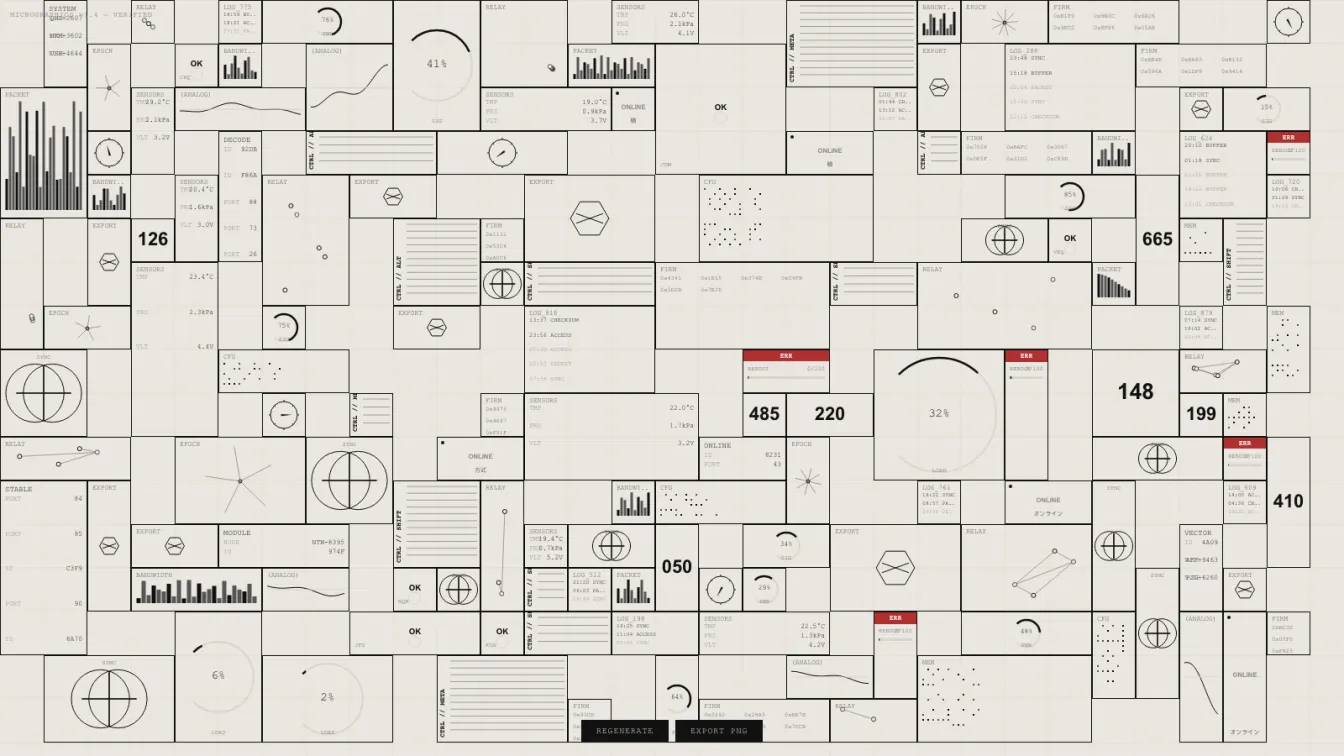
The engine fills a canvas with procedurally-generated interface panels using a grid-packing algorithm. Each refresh produces a completely new layout. No two generations are the same.
18 panel types:
- Data readouts — NODE IDs, MODULE codes, INDEX numbers with blinking cursors
- Circular gauges — Arc progress indicators with percentage labels
- Waveform scopes — Animated sine overlays on a baseline
- Network diagrams — Connected node graphs with random topology
- Text logs — Timestamped entries with scrolling fade
- Compass roses — Rotating directional indicators
- Large numbers — Bold sector/module identifiers (the 007 treatment)
- Hex firmware — Blocked memory addresses and version strings
- Barcode arrays — Variable-height bar graphs for bandwidth and packet loss
- Status indicators — ONLINE/OFFLINE/ACTIVE/ERROR with pulsing LEDs
- Critical errors — Red alert banners with progress bars and reboot requirements
- Dot grids — Memory bitmaps with scattered active bits
- Spoke diagrams — Rotating radial networks with epoch timestamps
- Sync overlays — Overlapping circles with crosshair intersections
- Sensor arrays — Temperature, pressure, voltage, uptime
- Geometric exports — Hexagons and crossing lines with output codes
- Access panels — Confirmed/denied states with loading rings
- Vertical controls — Rotated text labels with ladder markings
Mixed throughout: Japanese technical terms (アクセス, 光電, 方式, オフライン) and Chinese characters pulled from the same visual vocabulary as the reference.
Technical Notes
Pure Canvas 2D. No libraries. No WebGL. The entire system is ~500 lines of vanilla JavaScript.
The layout engine uses a greedy grid-packer: 44px cells, random panel sizes from 1×1 to 4×2, 600 placement attempts per generation. Panels that don’t fit are discarded. What survives is a dense, organic collage that never feels too orderly.
Animation is subtle. Blinking cursors on active readouts. Slow compass rotation. Waveforms that shift phase over time. A scanline overlay at 3% opacity gives the whole thing a slight CRT texture without drowning it in nostalgia.
The color palette is locked: warm off-white background (#eae7e0), near-black foreground (#111), two gray steps for hierarchy, and a single alert red for errors. No glow. No gradients. No purple AI aesthetic. Just ink on paper, but digital.
Why This Matters
There’s a category of visual design that doesn’t get enough attention: interfaces that exist to convey authority. Not usability. Not conversion optimization. Just the sense that a system is running, monitoring, processing, and you are witness to it.
Military C4I systems. Power plant SCADA screens. NASA mission control. They share a visual language: high information density, minimal color, monospace data, clear hierarchy through size and weight rather than hue.
Generative art usually chases beauty or randomness. This chases credibility. The goal isn’t “pretty” — it’s “I believe this machine is real.”
Source
Single-file HTML. Open it, hack it, break it. The entire project lives in one index.html.
Regenerate until you find a layout you like. Export as PNG. Use it as a texture, a background, a reference for something bigger. That’s what it’s for.