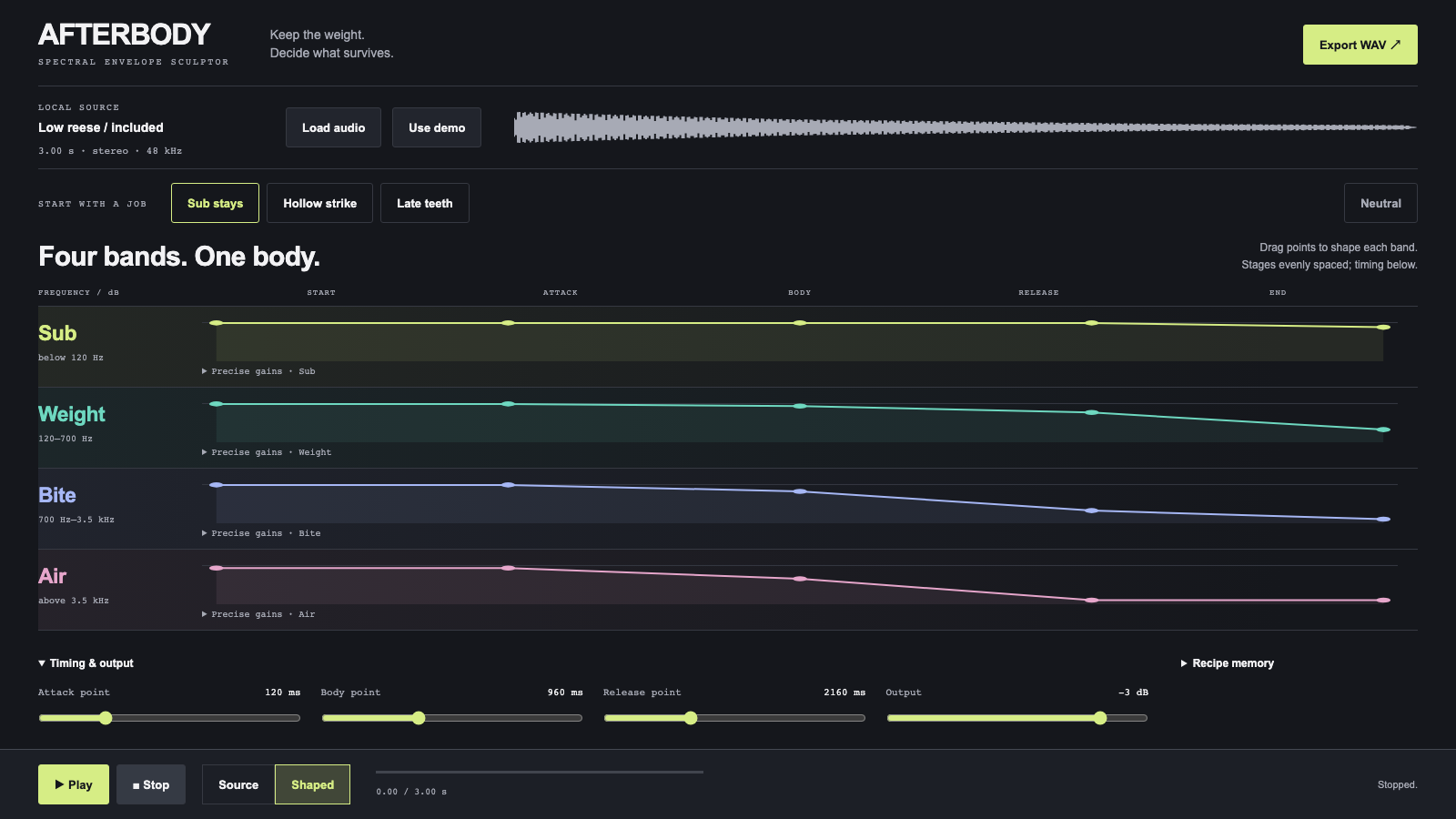
A bass resample can have the right weight and the wrong tail. AFTERBODY lets you keep its low end alive while the upper bands get out of the way. Load a local one-shot, draw how four frequency bands survive through it, and take the shaped audio back into Ableton or a sampler.
Each band has five gain points: start, attack, body, release and end. Drag upward to add presence or downward to remove it. Open a band’s precise gains for numerical editing. The shared timing controls place the attack, body and release stages within the source; output level leaves room for boosts.
Sub stays retains low-frequency sustain and shortens the upper tail. Hollow strike keeps the initial articulation while pulling out the mid-body. Late teeth softens the front and lets the upper body emerge later. All three are editable starting shapes. Neutral returns every band to unity before the output trim.
The four broad bands are fixed at 120 Hz, 700 Hz and 3.5 kHz. There is no added oscillator, reverb or texture. The source supplies the character. An included low reese gives you something to shape immediately; local audio stays on your device.
Source/shaped comparison keeps the playback position, including when you change the envelopes during audition. Export writes the same rendered samples to a stereo 48 kHz, 16-bit WAV. Save a recipe alongside the source to return to the exact shape later. One-shots from 50 milliseconds to 12 seconds fit the instrument’s scope.