The Build
Quiet Foundry is a material simulation table built with Vite and Three.js. The surface is not a decorative molten-metal shader. It is a live slab driven by three linked fields: heat, stress, and fracture memory.
What The Table Simulates
The core idea is simple: a forged slab should not respond like a blank canvas. Once a region has been overheated, shocked, or cracked, the next wave of energy should move through a different material than before.
Quiet Foundry gets there with three interacting systems:
1. Thermal diffusion with furnace-ring heating
A wrapped grid carries the heat field across the slab. Energy diffuses into neighboring cells, the perimeter behaves like a pulsing furnace ring, and cooling steadily pulls active zones back down. The result is a surface that never settles into a static glow. It keeps redistributing energy.
2. Quench-driven stress accumulation
Stress is not an abstract meter bolted on top. It rises from temperature gradients and from the mismatch between hot and rapidly cooled regions. If one part of the slab is driven colder while the surrounding metal is still carrying heat, the lattice starts loading up tension.
3. Fracture memory
This is the part that gives the piece its personality. Once stress crosses the fracture threshold, damage begins to accumulate. That fracture field does not just color the slab differently. It reduces conductivity, which means cracked regions choke future heat flow and force later thermal fronts to find a new path through the surface.
That feedback loop is the whole machine: heat creates gradients, gradients create stress, stress creates damage, and damage changes the next heat solve.
Interaction Model
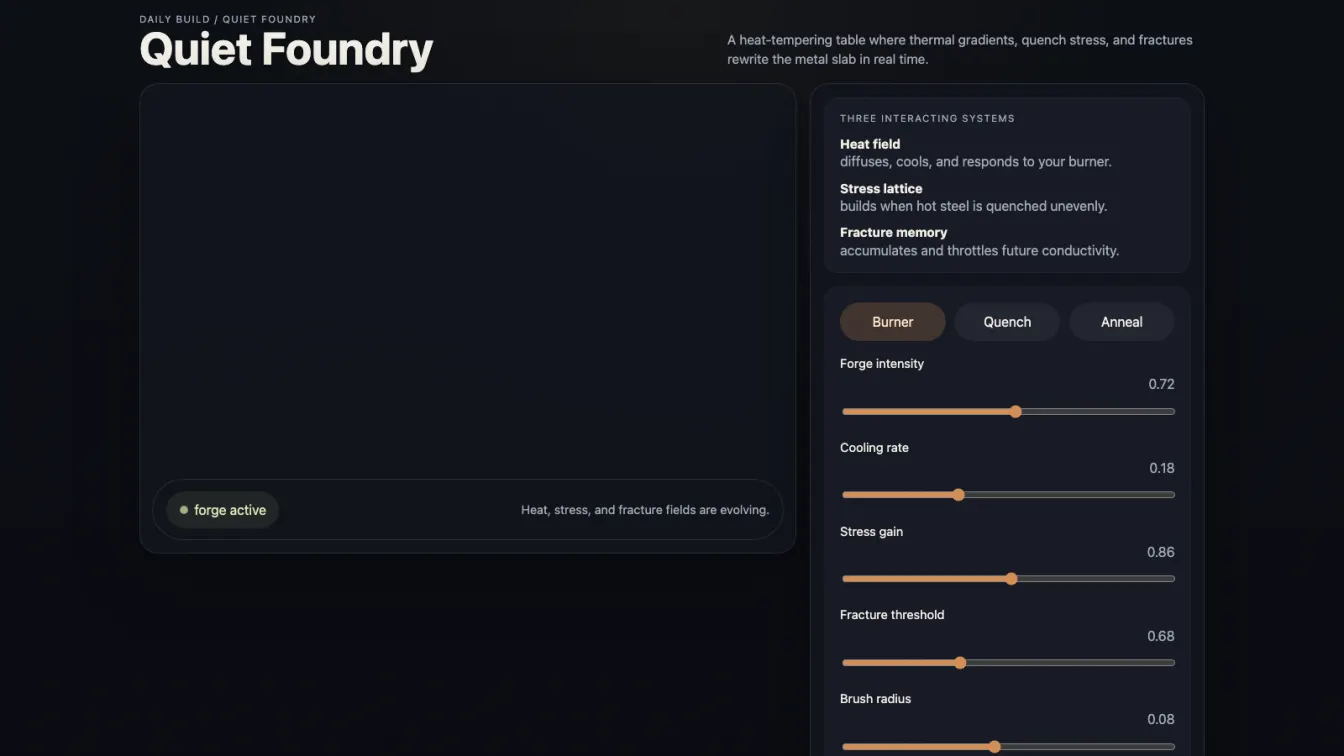
The interface exposes the system directly instead of hiding it behind presets and spectacle:
- Burner raises local temperature and adds a little stress.
- Quench strips heat out fast and spikes stress hard enough to seed fractures.
- Anneal relieves stress, softens fractures, and returns some warmth to the slab.
Five controls tune the overall character of the simulation:
- Forge intensity changes how hard the perimeter keeps feeding the slab.
- Cooling rate changes how aggressively active regions lose heat.
- Stress gain determines how much the same gradient translates into structural load.
- Fracture threshold decides how tolerant the material is before it starts remembering damage.
- Brush radius changes how concentrated each intervention is.
The metric strip makes the state legible while the simulation runs: average heat, peak stress, fracture load, and conductivity loss all update live.
Surface Language
Visually, the build lands somewhere between a forging table, a lab instrument, and a diagnostic relief map. The slab is displaced directly from simulation data, so hotter and more damaged regions rise and buckle instead of staying flat. Ember reds, oxidized oranges, and smoked metal blues give the material enough weight without turning it into fantasy lava.
The page keeps the rest of the interface disciplined. One viewport. One control column. No fake lore. No dashboard theater. The piece reads as a machine for pushing a material system until it starts carrying its own history.
Technical Notes
- Stack: Vite + Three.js
- Simulation grid: 160 × 160 live field
- Rendering: data textures for color and displacement, ACES Filmic tone mapping, constrained camera orbit, dark industrial lighting
- Interaction: pointer painting directly on the slab with burner, quench, and anneal tools
- Deployment: static build published at GitHub Pages
Why This One Holds Up
A lot of interactive surfaces respond only to the latest input. Quiet Foundry is more interesting because it keeps the consequences around. Once the slab has been shocked into damage, later interventions have to negotiate with a changed material. That makes the simulation feel less like painting on a plane and more like operating on something with a physical past.